Automatic receipt scanning: what to look for
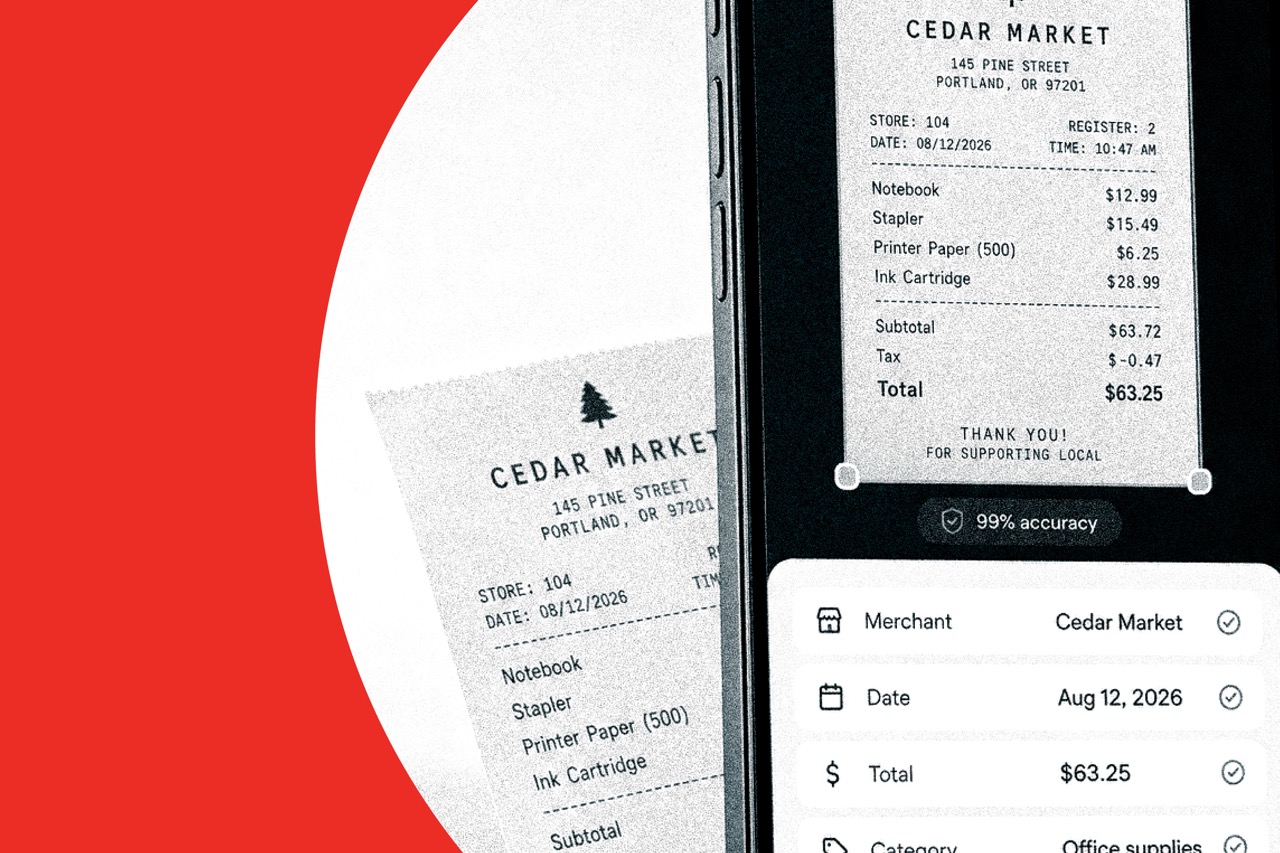
Receipt scanning only helps if the extract is accurate enough to trust. Merchant, date, amount, and category should land in the file with a review step, not a blank form.
What a scan should return
A usable scan captures merchant, date, and amount from the photo, then suggests a category. You confirm the line. That is faster than typing, and safer than trusting a guess you never see.
Checks before you rely on it
- It reads crumpled or dim photos well enough to use on the road.
- You can edit merchant, date, amount, or category in one tap.
- The original image stays attached so a questioned line has proof.
- Categories improve from your corrections instead of resetting every receipt.
- Scanned lines flow into reports and accounting exports without a second entry.
Review is part of the product
Automatic does not mean unsupervised. A 10-second check on a faded receipt is cheaper than a wrong amount on a client invoice.
- Do not accept a scan that skips the date.
- Do not delete the photo after the text looks right.
- Correct a bad category once so the next similar receipt is closer.
"Scanning is only automatic if you still get a chance to confirm the line."
Conclusion
Look for receipt scanning that extracts merchant, date, amount, and category, keeps the image, and lets you review before the line hits a report. That is the standard Vomoi is built to meet.